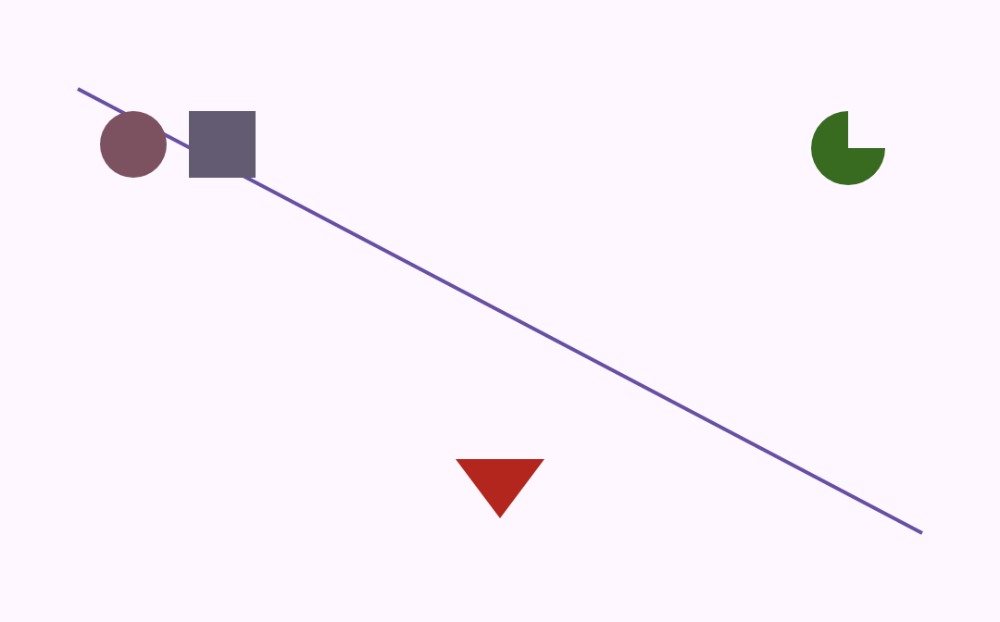
Primitive shapes
A single DrawScope draws a line, circle, rectangle, arc, and a triangle path.
Canvas(Modifier.fillMaxWidth().height(160.dp)) {
    drawLine(
        color = Color(0xFF6750A4),
        start = Offset(0f, 0f),
        end = Offset(size.width, size.height),
        strokeWidth = 4f
    )
    drawCircle(Color(0xFF7D5260), radius = 36f, center = Offset(60f, 60f))
    drawRect(Color(0xFF625B71), topLeft = Offset(120f, 24f), size = Size(72f, 72f))
    drawArc(
        color = Color(0xFF386A20),
        startAngle = 0f,
        sweepAngle = 270f,
        useCenter = true,
        topLeft = Offset(size.width - 120f, 24f),
        size = Size(80f, 80f)
    )
    val triangle = Path().apply {
        moveTo(size.width / 2f, size.height - 16f)
        lineTo(size.width / 2f - 48f, size.height - 80f)
        lineTo(size.width / 2f + 48f, size.height - 80f)
        close()
    }
    drawPath(triangle, Color(0xFFB3261E))
}