Skip to content
Navigation

Navigation Rail

Vertical destination switcher for wide screens

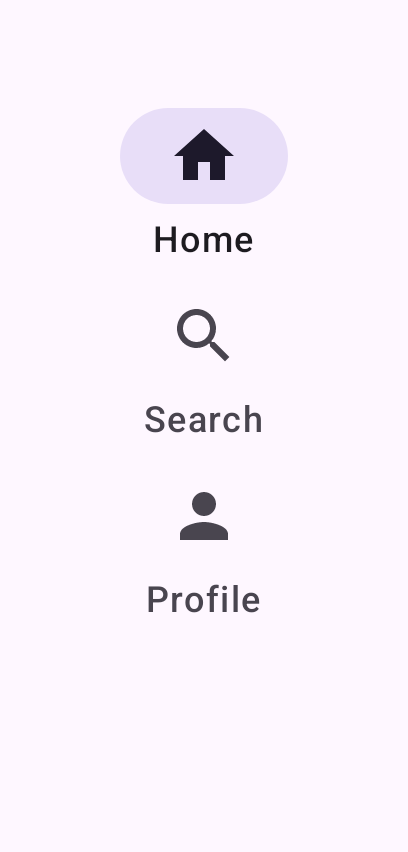
A navigation rail places top-level destinations along the side of the screen, a common pattern on tablets and other large displays. Like the navigation bar, exactly one destination is selected at a time.

Navigation Rail demos rendered in Compose Playground
Pixel-accurate preview · light theme

Examples

01

Three destinations

The rail is anchored to the start edge inside a fixed-height box.

Kotlin
var selected by remember { mutableIntStateOf(0) }
NavigationRail {
    NavigationRailItem(
        selected = selected == 0,
        onClick = { selected = 0 },
        icon = { Icon(Icons.Filled.Home, "Home") },
        label = { Text("Home") }
    )
    // Search, Profile ...
}
02

Adaptive: bar ↔ rail

A NavigationBar in compact width swaps to a NavigationRail when

Kotlin
// Real apps read this from calculateWindowSizeClass(activity):
//   val widthClass = windowSizeClass.widthSizeClass
//   val expanded = widthClass != WindowWidthSizeClass.Compact
var selected by remember { mutableIntStateOf(0) }
if (expanded) {
    Row {
        NavigationRail {
            NavigationRailItem(
                selected = selected == 0,
                onClick = { selected = 0 },
                icon = { Icon(Icons.Filled.Home, "Home") },
                label = { Text("Home") }
            )
            // Search, Profile ...
        }
        Box(Modifier.weight(1f)) { /* content */ }
    }
} else {
    Column {
        Box(Modifier.weight(1f)) { /* content */ }
        NavigationBar {
            NavigationBarItem(
                selected = selected == 0,
                onClick = { selected = 0 },
                icon = { Icon(Icons.Filled.Home, "Home") },
                label = { Text("Home") }
            )
            // Search, Profile ...
        }
    }
}