Skip to content
Actions

Floating Action Button

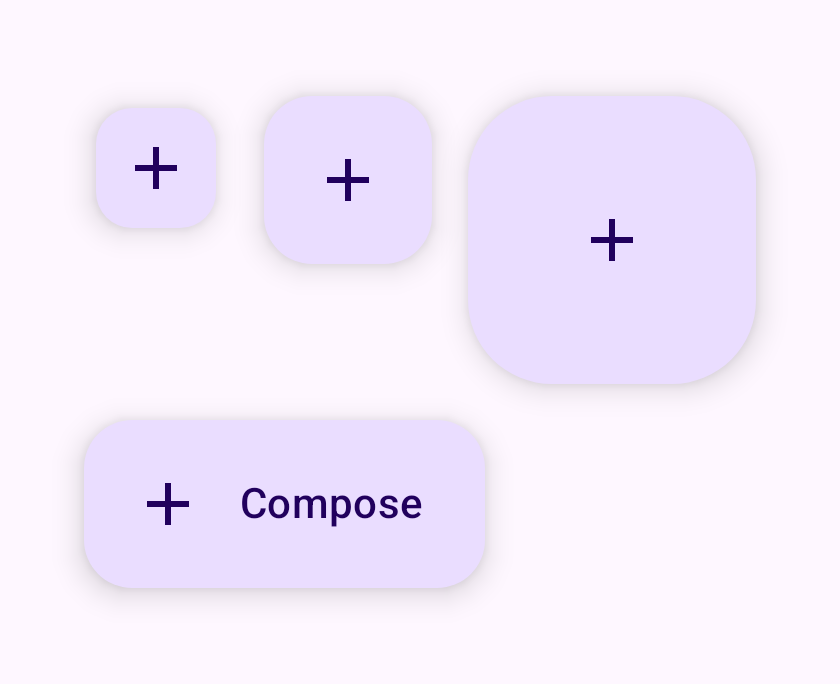
Small, regular, large, and extended FABs

The FAB represents the primary action of a screen. It comes in small, regular, and large sizes, plus an extended form that pairs an icon with a label.

Floating Action Button demos rendered in Compose Playground
Pixel-accurate preview · light theme

Examples

01

Sizes & extended

Kotlin
SmallFloatingActionButton(onClick = {}) { Icon(Icons.Filled.Add, "Add") }
FloatingActionButton(onClick = {}) { Icon(Icons.Filled.Add, "Add") }
LargeFloatingActionButton(onClick = {}) { Icon(Icons.Filled.Add, "Add") }
ExtendedFloatingActionButton(
    onClick = {},
    icon = { Icon(Icons.Filled.Add, null) },
    text = { Text("Compose") }
)